
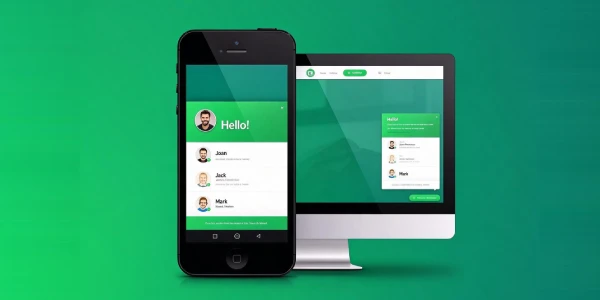
WhatsApp Chat Pro, from QuadLayers, puts WhatsApp where the buying intent is: a floating chat button on every page that opens a direct WhatsApp conversation with your team – no forms, no email, no waiting. The Pro edition is the production layer: multiple agents with their own numbers and availability, per-page targeting so the right agent appears on the right page, pre-filled welcome messages, custom button and window styling, and analytics on clicks. Related reading: our multi-channel widget alternative overview covers the broader 20-channel widget, and our bot platform overview covers automated conversation handling.
WhatsApp’s identity is conversion speed. Visitors land on a product or service page, tap the button, and land in a WhatsApp chat with the right agent and a pre-filled message – no forms, no email, no waiting. The Pro layer adds the routing and targeting that turn a single button into a real support channel: agents per page, availability windows, pre-filled welcome messages per page, and analytics on which buttons actually get tapped. For local businesses, stores, and service sites where WhatsApp is how customers already communicate, this is the highest-converting widget on the page.
Competitive Features
Direct WhatsApp conversations. One tap opens a WhatsApp chat with your team – no forms, no email, no waiting, in the app visitors already use.
Multiple agents (Pro). Each agent gets their own number, availability window, and profile – conversations route to the right person.
Per-page targeting. The right agent appears on the right page – sales agents on product pages, support agents on help pages.
Pre-filled welcome messages. Each button and agent carries a pre-filled message per page – conversations start with context.
Button and window styling. Custom colors, position, shapes, and the chat window’s appearance – the widget matches the site.
Click analytics. Track which buttons and pages actually get tapped – the data that decides placement.
Key Features
- Floating button – configurable position, size, and visibility per device.
- Agent profiles – name, avatar, role, and availability window per agent.
- Pre-filled messages – per page and per agent welcome text.
- Chat window styling – colors, avatar, and header text customization.
- Shortcodes and widgets – place chat buttons in content and sidebars.
- Click analytics – track which buttons get tapped.
- Targeting – show buttons per page, post, or site-wide.
Comparison with Competitors
WhatsApp Chat Pro vs Chaty Pro
Single-channel depth versus multi-channel breadth: one owns WhatsApp, the other stacks 20+ channels.
| WhatsApp Chat Pro | Chaty Pro | |
|---|---|---|
| Channels | WhatsApp only, done completely | 20+ chat and social channels |
| Agent routing | Per-agent numbers and windows | Per-agent routing per channel |
| Best for | Businesses that sell on WhatsApp | Multi-channel contact surface |
Businesses that sell on WhatsApp favor this plugin; multi-channel contact surfaces favor Chaty Pro.
WhatsApp Chat Pro vs ChatPion
Button versus platform: one routes conversations to WhatsApp, the other runs automated conversations.
| WhatsApp Chat Pro | ChatPion | |
|---|---|---|
| Role | Click-to-chat entry point | Self-hosted chatbot platform |
| Conversation handling | Hands off to WhatsApp | Bots and AI replies on your server |
| Setup weight | Minutes on any WP site | Server deployment + business accounts |
| Best for | Direct WhatsApp conversations | Managing conversations at scale |
They stack: this plugin funnels visitors into WhatsApp, and ChatPion manages the conversations themselves.
Recommended Stack: chat clicks signal purchase intent – pairing the widget with Chaty Pro covers the other channels, and with Fluent Support Pro if tickets should handle the questions chat cannot close.
Official Changelog
Version 8.3.11
Release Date: October 2026
- Improved: agent availability windows with per-page targeting
- Fixed: chat window styling not saving for grouped agents
Version 8.3.10
Release Date: September 2026
- Added: per-page pre-filled welcome messages per agent
- Fixed: click analytics not saving for grouped buttons
Version 8.3.9
Release Date: September 2026
- Fixed: button targeting for grouped pages
- Improved: chat window styling for grouped agents
Frequently Asked Questions
How fast is the initial setup?
Install, add your WhatsApp number, and the button floats on every page within minutes. Agents, availability windows, and targeting extend from there – most businesses go live the same day.
Can different agents get different pages?
Yes – per-page targeting routes the right agent to the right page: sales agents on product pages, support agents on help pages. This is the routing that turns a button into a real support channel.
Can I pre-fill the first message?
Yes – each button and agent carries a pre-filled welcome message per page, so conversations start with context. This is the detail that makes WhatsApp conversations productive.
Can I track which buttons perform?
Yes – click analytics record which buttons and pages actually get tapped, which is how you decide placement and agent staffing.
Is it just a button or a full support channel?
It is the entry point – conversations live in WhatsApp, where your team answers with the tools they already use. For bot logic and automated replies, pair it with a platform like ChatPion.
How to Install
Install the GPL version of WhatsApp Chat Pro like any premium WordPress plugin:
- Download the plugin archive from the download section on this page.
- In WordPress admin, go to Plugins – Add New – Upload Plugin and select the archive.
- Activate the plugin, then open the WhatsApp settings in the admin menu.
- Add your agents, availability windows and pre-filled messages, and place the button where the buying intent is.
Leave a Reply